What does robot mower maintenance involve?
Less than a push mower, but it isn’t zero. Brush the robot clean and check its blades about once a week when it’s new. Replace the small blades every few weeks to few months, depending on the blade type and your lawn. Install software updates when the app offers them. Have it serviced once a year. The battery usually lasts a few years before it needs replacing. Before all that comes the installation, which decides how well the robot copes with your lawn.
What happens at installation?
If you buy and run a robot yourself, this is the job you or your dealer will do. On Infinity Lawns Premium we do it for you after a site visit. Either way, installation is mostly planning. Get it right once and the robot runs quietly for years. Get it wrong and it gets stuck, misses strips or keeps returning to a dock it can’t reach.
The charging station. It needs level ground, a power point and clear space to drive in and out. Keep the entrance clear and flat, so the robot can line up with the charging strips every time.
The boundary: wire or wire-free. A wired robot follows a cable pegged on the surface or buried around the lawn, with a guide wire to lead it home. A wire-free robot uses satellite positioning (RTK) or cameras. The satellite type needs a reference station with an open view of the sky, and its map may have to be redrawn if that station is moved later (Husqvarna AU installation guide). Tall trees, a two-storey house next door or a narrow side passage can weaken the signal, so check the sky view before choosing a wire-free model.
The lawn itself. Mow the lawn down to the robot’s range before the first run. Long grass hides obstacles and blocks camera sensors. Fill holes, lift hoses and mark off garden beds, ponds and steep drops. Newly laid turf needs time to root before the robot drives on it.
The schedule and the height. Set the cutting height for your grass and the season, not the lowest setting. Set the robot to run in daylight only. Small animals use lawns at night, and research on robot mowers and wildlife points the same way; our first robot note explains why.
What does weekly and monthly care look like?
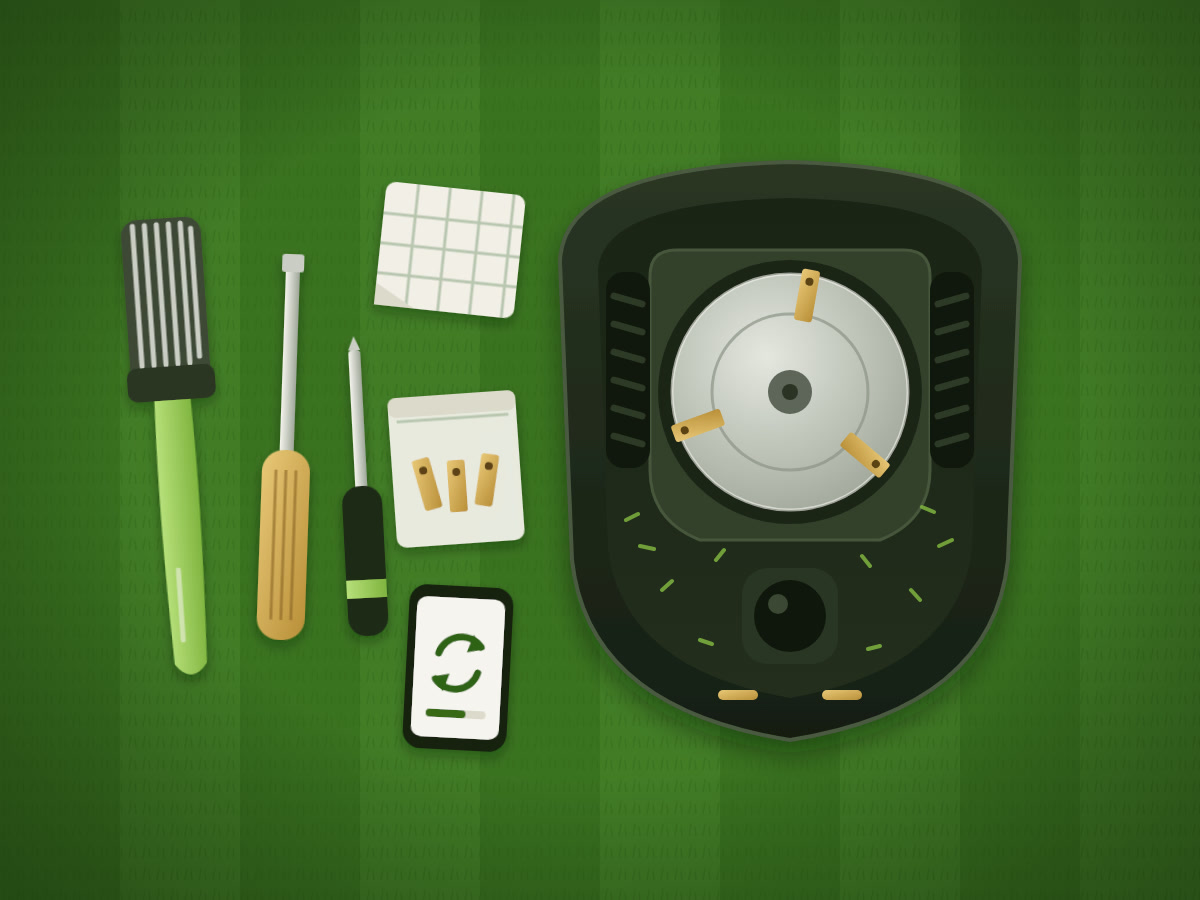
Cleaning. Switch the robot off first. Tip it on its side and brush the blade disc and the underside, then wipe the body with a damp cloth. Never use a pressure washer or solvents, and never put it in water. Only some newer models may be rinsed with a hose; check your manual first (Husqvarna AU care guide). Clear packed clippings from the wheels and wipe any camera lens.
Blades. A robot cuts with small razor-like blades on a spinning disc. Husqvarna’s Australian guidance is to replace its Long Life blades every 6–8 weeks and its Endurance blades every 3–4 months. Sand, gravel and stones wear them faster. Use new screws with each change, because a reused screw can let a blade come loose. Then reset the blade timer in the app (Husqvarna AU care guide). A blunt blade tears grass instead of cutting it, which is one of the causes covered in the mower isn’t always the problem.
The dock. Keep the entrance free of leaves and clippings. If the robot keeps failing to charge, check that the metal charging strips are clean and the station still sits level, then follow your manual.
A walk around. Once a month, walk the boundary. Look for exposed wire, new obstacles, wheel tracks in soft ground and strips the robot is missing. The lawn shows you where the setup needs adjusting.
How do software updates work?
Many app-connected robots update themselves. On Husqvarna’s connected models, the robot checks for an update once a week, downloads it while parked (typically 15–30 minutes) and tells you in the app. You then install it with the robot charged and parked. Critical security updates install automatically after 7 days (Husqvarna AU firmware guide). Other brands differ, so check yours. Keep the app and the robot’s account details current: updates can fix navigation faults and add features such as better obstacle detection.
Which parts wear out, and when?
Blades: every few weeks to few months, as above. They are the most frequent cost.
Battery: Husqvarna says its batteries last on average about 2–4 years, mostly depending on how long the robot is set to run. A robot returning to the dock more often than it used to is a common early sign (Husqvarna AU battery guide). A replacement is a spare-part repair: your dealer does it, or on Premium we quote it before any work.
Wear parts: wheels, skid plates and the blade disc wear over time. Husqvarna recommends a yearly dealer service covering wear parts, firmware updates, cleaning, blade replacement, a battery test and charging and safety tests. It suggests booking it before spring (Husqvarna AU). Some warranties depend on that yearly service being done by an authorised dealer, so read yours. Warranty claims go to the maker; on Premium, we arrange the claim for you.
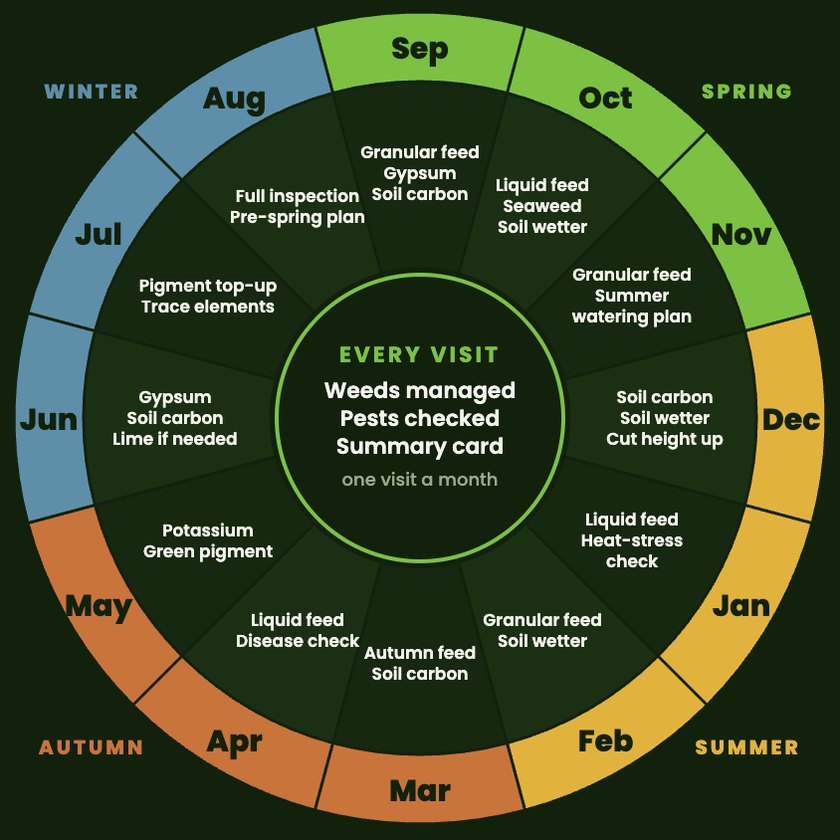
What changes with Melbourne’s seasons?
Spring: the busy season. Book the yearly service before growth takes off. Raise the run time as the grass speeds up and check the height setting. This is also when thunderstorms start. Husqvarna recommends disconnecting the charging station’s power and boundary wires when a storm is possible (Husqvarna).
Summer: heat and dry spells. Don’t lower the height in the heat, and let the robot follow the growth: a stressed lawn needs less cutting, not more. Park it while a feed or treatment dries or is watered in.
Autumn: leaves. They block the dock, hide obstacles and smother the grass under them. Clear them more often, and cut back the run time as growth slows.
Winter: wet clay. Pause the robot after heavy rain so it doesn’t rut or press down the soil, and run it less while couch and kikuyu are dormant. Melbourne winters are mild, so many owners keep the robot going on a light schedule. If you stop it for a long break, store it clean, charged and dry. Husqvarna recommends bringing the charging station indoors as well (Husqvarna AU winter guide).
Before you buy one
Ask the dealer who installs it, who services it and what the yearly service costs. Check how long blades and batteries last on that model and what they cost. Check whether the warranty needs dealer servicing and whether your lawn has the sky view a wire-free model needs. Those answers are the real running cost. If you’d rather not manage it, Infinity Lawns Premium covers the setup and the routine care at each monthly visit; the robot itself and spare-part repairs are paid separately.
A robot looks after the leaf. The soil, water and roots still need their own care, and the clay under your lawn or the living soil underneath will shape the result more than any mower.
Local lawn care and the next step
For local service information, see lawn care in Stonnington.
See Program plans and prices, or learn how the Program works before deciding whether it fits your lawn.
Common questions
How often do robot mower blades need replacing?
It depends on the blade type and your lawn. Husqvarna’s guidance is every 6–8 weeks for its Long Life blades and every 3–4 months for its Endurance blades. Sand and stones shorten that.
Can I hose down a robot mower?
Only if your model’s manual says so. Most should be brushed and wiped with a damp cloth, never pressure washed or put in water.
How long does a robot mower battery last?
Husqvarna says about 2–4 years on average, depending mainly on how long the robot is set to run each day.
Does Greenshift install or service robot mowers?
Yes, on Infinity Lawns Premium. We recommend the robot, our supplier sells it to you, and we install and set it up. At every monthly visit we clean it, change the blades, set the cut height for the season and check its software. Spare-part repairs are quoted before any work, and we arrange warranty claims with the maker. On the standard Infinity Lawns Program, installing and servicing your robot stays with you and your dealer. Compare Program and Premium.
Want to understand what your lawn needs? Learn how the Infinity Lawns Program starts with a Lawn Performance Assessment.
How the Program worksCustodianship in practice: we facilitate rather than impose, listening as much as we tend, and working with the rhythms of the living soil rather than against them.
Greenshift Infinity Lawns acknowledges the Wurundjeri Woi-wurrung and Bunurong / Boon Wurrung peoples of the Kulin Nation, the Traditional Owners and Custodians of the lands and waters of Melbourne's inner south-east on which we work. We pay our respects to Elders past and present, and recognise their continuing connection to this land, its waters, and its skies.